
Free Wedding Invitation Maker: Create Your Wedding Card Online
Create a beautiful, personalized invitation with the Wedding Bliss Decor Free Wedding Invitation Maker. Our easy-to-use wedding invitation card generator helps you design a memorable card online, customize every important detail, and download it for free.
Choose from floral, botanical, romantic, modern, luxury, watercolor, and photo-based designs. Add the couple’s names, wedding date, ceremony time, reception details, venue address, RSVP information, dress code, and a personal message. You can also change the fonts, colors, text size, photo position, and card layout.
No design experience is required. There is no account to create, and your wedding details and photos remain in your browser. Once your invitation is ready, download it as a high-resolution PNG, JPG, or print-friendly PDF.
Design Your Free Wedding Invitation Card
Use the free wedding card generator below to create your invitation. Select a design, enter your details, personalize the style, preview the finished card, and download it to your device.
Create Your Wedding Invitation
Choose a style, add your details, personalize every touch, and download your invitation for free.
Choose a design
Eight original styles plus your own background.
Add your details
Your preview updates instantly.
RSVP and finishing details
Make it yours
Start with the template palette or choose your own.
Add your photo or artwork
Everything stays on this device.
Fine-tune the layout
Move the two main content groups safely.
Names position
Event details position
What Is a Free Wedding Invitation Maker?
A free wedding invitation maker is an online design tool that allows couples to create personalized wedding cards without hiring a graphic designer. Instead of starting with complicated design software, you can select a ready-made style and enter your information into simple fields.
The invitation preview updates as you make changes, allowing you to see exactly how your finished wedding card will look. You can experiment with different templates, color combinations, fonts, photos, and layouts until the design matches your wedding theme.
Our online wedding card maker combines the convenience of editable templates with the flexibility of a custom invitation designer. It is ideal for creating printable invitations, digital wedding cards, photo invitations, modern wedding invites, and elegant traditional cards.
How to Use the Wedding Invitation Card Generator
Creating your own wedding invitation takes only a few simple steps.
1. Choose a Wedding Invitation Design
Start by selecting a template from the design gallery. Available styles include botanical greenery, romantic flowers, soft watercolor artwork, elegant gold details, modern editorial layouts, luxury emerald designs, and photo wedding invitations.
Choose a style that complements the mood of your wedding. A botanical invitation works beautifully for a garden celebration, while an emerald and gold card can suit a formal evening reception. Minimal designs are ideal for contemporary weddings, and photo cards add a warm, personal touch.
2. Add the Couple’s Names
Enter the first and second names exactly as you want them to appear on the invitation. You can use first names only or include full names for a more formal presentation.
The couple’s names are normally the most prominent part of a wedding invitation, so the generator gives them special visual emphasis. You can later adjust their font, size, spacing, color, and position.
3. Enter the Wedding Date and Time
Add the wedding date and ceremony time. If your ceremony and reception begin at different times, include a separate reception time as well.
Check that the date, day, year, and time are correct before downloading the final card. Clear timing helps guests plan their journey and arrive without confusion.
4. Add the Venue and Address
Enter the wedding venue name and its complete address. The venue might be a hotel, banquet hall, church, mosque, temple, private property, beach, resort, or garden.
Include enough information for guests to identify the correct location. If the ceremony and reception are held at different places, use the available detail fields or closing message to explain the arrangements clearly.
5. Include RSVP and Additional Details
Add an RSVP deadline and contact method if replies are required. Your RSVP contact can be a phone number, email address, or another preferred contact option.
You can also include an optional dress code and closing message. The closing message is useful for reception information, dinner details, wedding website directions, guest instructions, or a short personal note.
6. Customize the Invitation Style
Open the Style section to personalize the appearance of your wedding card. Select a font combination, adjust the text size, and change the accent, background, and text colors.
Try to use colors that match your wedding theme while keeping the wording easy to read. You can restore the original template colors at any time or use the surprise option to explore a different combination.
7. Add a Couple Photo or Custom Background
Create a personalized photo wedding invitation by uploading your favorite couple picture. Adjust the image zoom and position until both faces and important parts of the photograph fit naturally within the design.
You may also upload your own blank wedding card background. This option allows you to use a custom floral frame, painted background, decorative border, or invitation artwork and place editable text over it.
For your privacy, uploaded photos and invitation details are processed within your browser.
8. Review and Download Your Wedding Card
Use the live preview to inspect the finished invitation. Check the spelling of names, date, times, venue, address, and RSVP contact.
When everything is correct, download your wedding invitation as a high-resolution PNG, JPG, or printable PDF. You can also share the invitation digitally or save the draft on your device to continue later.
Customize Every Important Part of Your Wedding Invitation
A wedding invitation should feel personal to the couple and consistent with the celebration they are planning. Our custom wedding invitation maker gives you control over the details that matter most.
You can personalize:
- The invitation heading and introductory wording
- Both partners’ names
- Wedding date and ceremony time
- Reception time
- Venue name and complete address
- RSVP date and contact information
- Dress code
- Closing message
- Font style and text size
- Name spacing
- Background, accent, and text colors
- Couple photograph
- Custom invitation background
- Photo zoom and position
- Text and layout positions
Advanced positioning controls allow you to move the names and wedding details horizontally or vertically. This is especially helpful when using a custom background with floral decorations, illustrations, or artwork in different areas.
If you change your mind, use the undo, redo, reset, and start-over controls to experiment safely.
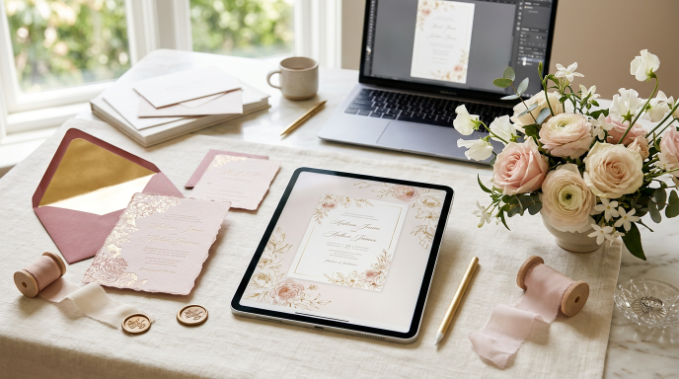
Wedding Invitation Styles You Can Create
Every wedding has its own personality. The generator provides a variety of designs so you can create an invitation that reflects your celebration.
Floral and Botanical Wedding Invitations
Floral wedding cards feature roses, greenery, leaves, watercolor flowers, and garden-inspired details. They are well suited to spring weddings, outdoor ceremonies, garden receptions, and romantic celebrations.
Elegant and Luxury Wedding Invitations
Rich green, gold, cream, and decorative details create a sophisticated appearance. These designs can complement ballroom receptions, evening weddings, formal dinners, and glamorous celebrations.
Minimal and Modern Wedding Invitations
Clean typography, balanced spacing, and understated colors create a stylish modern wedding invitation. Minimal cards keep the couple’s names and essential information at the center of the design.
Photo Wedding Invitations
Upload a favorite engagement or couple photograph to make the invitation more personal. Photo wedding cards work particularly well as digital invitations, keepsakes, and announcements for friends and family.
Watercolor and Romantic Wedding Cards
Soft painted flowers, gentle colors, and artistic illustrations create a dreamy appearance. These templates are ideal for romantic, rustic, boho, countryside, and destination weddings.
Custom Background Invitations
If the included templates do not match your vision, upload your own blank card design. You can then place your names and wedding information over the background and adjust the text position for a custom result.
What Information Should a Wedding Invitation Include?
A clear invitation gives guests the essential information they need while reflecting the tone of the event. Most wedding invitations include the following details:
Invitation Wording
Begin with a short request inviting guests to attend the celebration. Your wording can be formal, traditional, relaxed, religious, or modern.
Examples include “Together with their families, they invite you to celebrate their wedding” and “Please join us as we begin our new journey together.”
Couple’s Names
Display the couple’s names clearly and check the spelling carefully. The exact order and format are a personal or cultural choice. Use the style that feels most appropriate for your families and celebration.
Wedding Date and Time
Include the complete wedding date and ceremony start time. If necessary, mention when guests should arrive or provide a separate time for the reception.
Venue Details
Add the venue name, street address, city, and any location information guests may need. Avoid using an abbreviation if it could make the location difficult to understand.
Reception Information
If a reception follows the ceremony, include its time and location. When both events take place at the same venue, a short line such as “Reception to follow” may be enough.
RSVP Information
Tell guests how to respond and provide an RSVP deadline. A phone number or email address is usually sufficient for a simple invitation.
Dress Code or Guest Instructions
Include a dress code only when it will help guests prepare. You may also add important instructions about parking, adults-only arrangements, accommodation, transportation, or your wedding website.
Create Printable and Digital Wedding Invitations
The same design can be used as a printable wedding invitation or a digital wedding card.
Download the high-resolution PNG when you want a crisp image for messaging apps, email, social sharing, or online announcements. JPG is useful when you need a smaller and widely compatible image file.
Select Print PDF for a 5 × 7-inch invitation layout that can be printed at home or provided to a professional printing service. Before ordering multiple copies, print one test card to check the colors, margins, text size, and paper quality.
For digital invitations, review the card on both a phone and a larger screen. Make sure the text remains readable when the invitation is displayed at a smaller size.
Tips for Designing a Beautiful Wedding Invitation
Keep your card attractive, clear, and easy to understand with these practical design tips:
- Choose one main visual style instead of combining too many decorative elements.
- Use a limited color palette that complements your wedding theme.
- Create strong contrast between the wording and the background.
- Make the couple’s names the main focus of the invitation.
- Keep the date, time, venue, and RSVP details easy to find.
- Use decorative script fonts for names and simpler fonts for smaller information.
- Avoid placing text over busy flowers, faces, or detailed artwork.
- Upload a clear, high-quality photo when making a photo invitation.
- Leave enough empty space so the design does not feel crowded.
- Proofread every line and ask another person to check the details.
- Save your draft before making major layout changes.
- Download the card and inspect the final file before sharing or printing it.
Why Use the Wedding Bliss Decor Online Wedding Card Maker?
The Wedding Bliss Decor invitation generator is designed for quality, variety, and ease of use. It allows you to create a custom wedding invitation online without installing design software or learning complicated editing tools.
You can use ready-made templates or upload your own background, making the tool suitable for both quick designs and more personalized cards. It is a free wedding invitation maker with no sign-up, and completed invitations can be downloaded without a watermark.
Whether you need a printable wedding invite, a digital marriage invitation, a photo card, or a personalized wedding announcement, you can complete the design directly from your browser.
Frequently Asked Questions
How can I make a wedding invitation card online for free?
Open the Wedding Bliss Decor wedding invitation card generator, select a design, and enter the couple’s names, date, time, venue, address, and RSVP details. Customize the fonts, colors, photograph, and layout, then download the finished card. You do not need professional design experience.
Is this wedding invitation maker completely free?
Yes. You can use the templates, customize the invitation, preview the design, and download your wedding card for free. No account or paid design subscription is required.
Can I make a wedding invitation without signing up?
Yes. The generator is a free wedding invitation maker with no sign-up. You can begin designing immediately without creating an account or submitting registration details.
Can I download and print my invitation?
Yes. You can download the invitation as a high-resolution PNG or JPG image. A print-friendly PDF option is also available for a 5 × 7-inch wedding invitation. Always print one sample before ordering a large number of copies.
Can I add our photo to the wedding invitation?
Yes. Open the Photo section and upload a couple photograph from your device. You can zoom and reposition the picture to fit the selected template.
Can I upload my own wedding card background?
Yes. Select the custom background option and upload a blank card design, decorative frame, or invitation background. Add your details and use the advanced positioning controls to place the text over suitable areas.
What should I write on a wedding invitation?
Include a welcoming invitation line, the couple’s names, wedding date, ceremony time, venue, address, and RSVP information. You may also add a reception time, dress code, wedding website, guest instructions, or personal closing message.
What is the best format for a digital wedding invitation?
PNG is an excellent choice for a clear digital invitation because it preserves text and decorative details. JPG may produce a smaller file that is convenient for sharing. Check the final image on your phone before sending it to guests.
Can I save my wedding invitation and edit it later?
Yes. Use the save-draft option to store your current design on the device you are using. Because the draft is saved locally, return using the same device and browser when you want to continue editing.
Do I need graphic design experience?
No. The generator was created for beginners as well as experienced designers. The editable fields and live preview make it easy to see changes immediately, while advanced options provide additional control when needed.
Can I create invitations for different wedding themes?
Yes. You can create floral, botanical, modern, minimalist, romantic, watercolor, luxury, garden, photo, and custom-background wedding invitations. Fonts and colors can be adjusted to coordinate with your selected wedding theme.
When should I send my wedding invitations?
Send invitations after the date, time, venue, and guest arrangements are confirmed. Allow guests enough time to plan, respond, and arrange travel. Destination weddings and celebrations involving longer journeys generally require more advance notice.
Create Your Personalized Wedding Invitation Today
Celebrate your love story with an invitation that feels uniquely yours. Choose a template, add your wedding information, personalize the colors and typography, and preview every change in real time.
With the Wedding Bliss Decor Free Wedding Invitation Maker, you can create a professional-looking wedding card quickly and download it as a PNG, JPG, or printable PDF. Start designing your invitation today and share the first beautiful detail of your wedding with the people who matter most.